Most writing advice assumes you’re a writer. But what if you’re not? I went from 9 posts to 47 by building a system that actually matches how I work. Here’s what that system looks like.
One thing you should know about me: I’m more of a curator than a writer. If you’re familiar with Charlene Li and Josh Bernoff’s Social Technographics profiles, I sit squarely in the “Collector” and “Critic” buckets. I read a lot, and sharing quotes or my comments on other people’s writing helps me structure my own thinking. My workflow reflects that, it’s built for someone who consumes first and creates second. It goes a little like this:
Feedly (read) → Raindrop (capture) → Astro CMS (shape) → GitHub / Netlify (publish).
Where And What I Read
I’m usually pretty busy, so I don’t get a lot of long stretches of focus time. Instead, I browse interesting content throughout the day between things and capture my thoughts as I go. It’s usually shorter content, with the occasional deep dive into long-form writing. My sources are scattered everywhere: Bluesky, newsletters, podcasts, Hacker News, LinkedIn, and Slack communities. I pull most of it into Feedly (with Substack newsletters piped in via RSS feeds like this: https://[USER].substack.com/feed) so I can read from anywhere, anytime.
How I Capture And Curate
Not everything I read is worth keeping or sharing. Here’s how I usually determine what makes the cut:
Does it tickle my curiosity? If a topic genuinely interests me and makes me want to explore more, I’m in. Even if it’s niche (well, especially if it’s niche).
Is it timely and relevant? Some things are only worth sharing while they’re relevant. I’ve had drafts sit too long and become stale. When that happens, I just delete them. No point publishing yesterday’s news.
Is it from someone who knows their stuff? Subject matter experts with sharp takes are always worth sharing. If I’d send it to my colleagues on Slack, it’s definitely getting published here.
Is it something I want to capture for future reference? Sometimes I find something useful but don’t have anything to say about it, or it’s too niche to just repost. Those go straight to Raindrop as bookmarks. No post, just a save for later.
Raindrop.io is where everything lands. When I find something interesting, I add the link, tag it, pull out highlights or quotes, and jot down my rough notes or comments right there. The tags are important. They help me see patterns across what I’m saving and make it easier to connect ideas later. Plus, they sync up with the tags I use on this blog (more on that in a sec).
That collection of metadata usually becomes my first draft. It’s low friction, I’m not writing a post yet, just reacting to what I read.
From Bookmark to Blog Post
At the center of my system are markdown files. This blog runs on Astro, so everything eventually becomes a .md file in my content folder. But manually creating files, copying frontmatter, and managing tags was tedious. So I did what any self-respecting nerd would do, I vibe coded myself a homemade CMS. I called it Astro CMS. Original, I know. It’s tailored to my specific workflow and handles the annoying bits.
Grammar correction
I’m not a native English speaker, so having LLM-powered cleanup built in saves me from embarrassing typos. It doesn’t write for me, but it makes sure what I write is properly structured and spelled.
Templates by post type
Curated finds, TIL brain dumps, and longer pieces all have different structures (and YAML front matter). I used to copy-paste from existing markdown files to create drafts, which was clunky. Templates make starting a new post quick and painless.
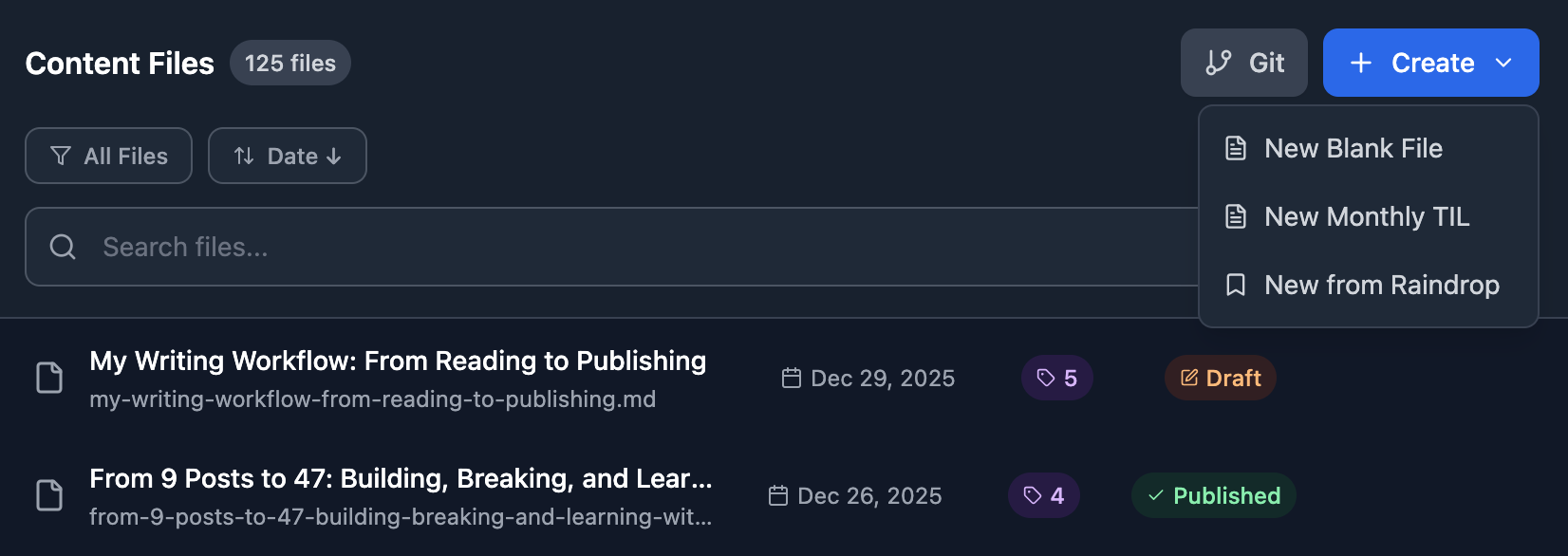
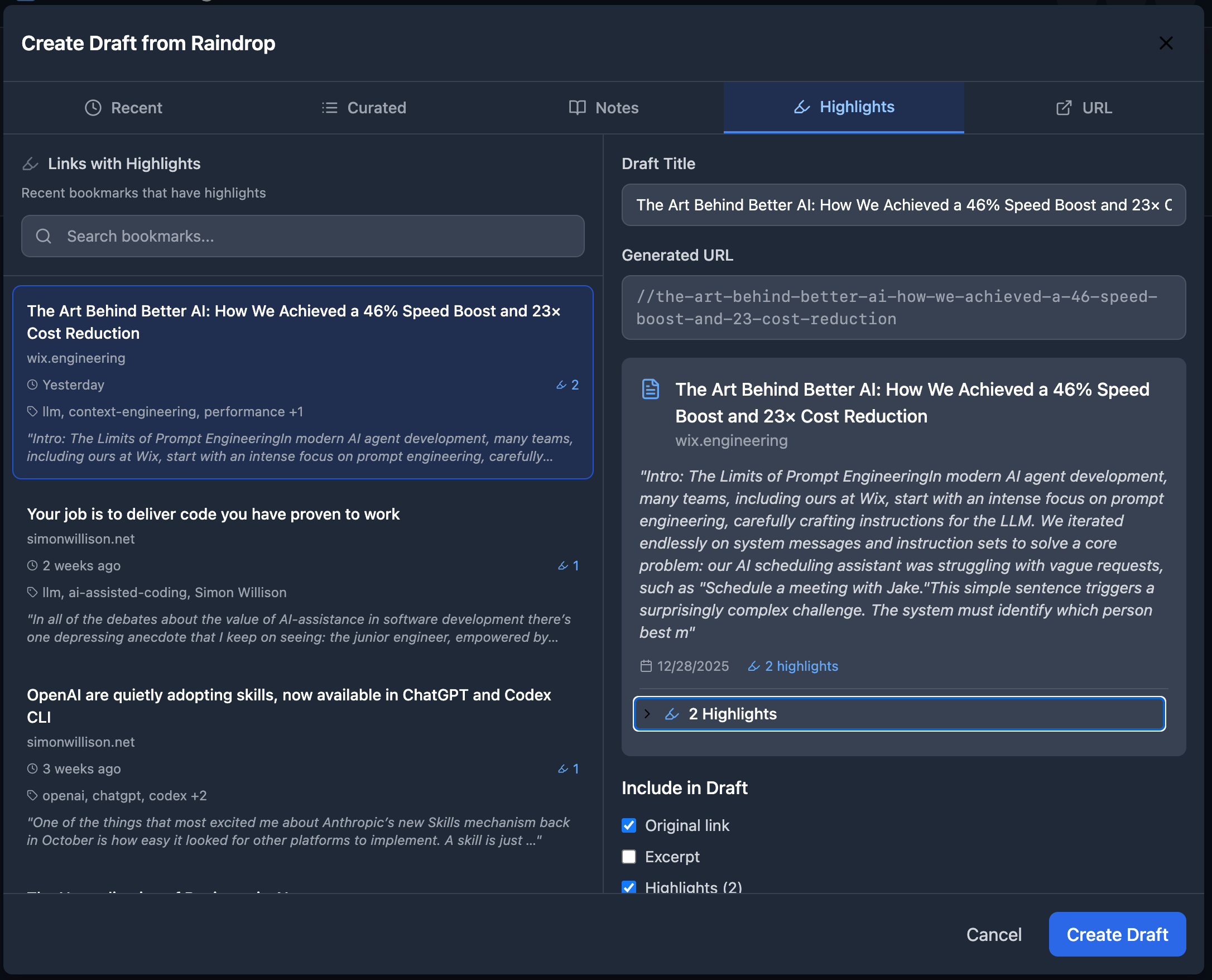
Import from Raindrop
This is the magic. I can pull in a bookmark with its tags, highlights, and notes, then massage it into a proper post without copy-pasting from multiple tabs.
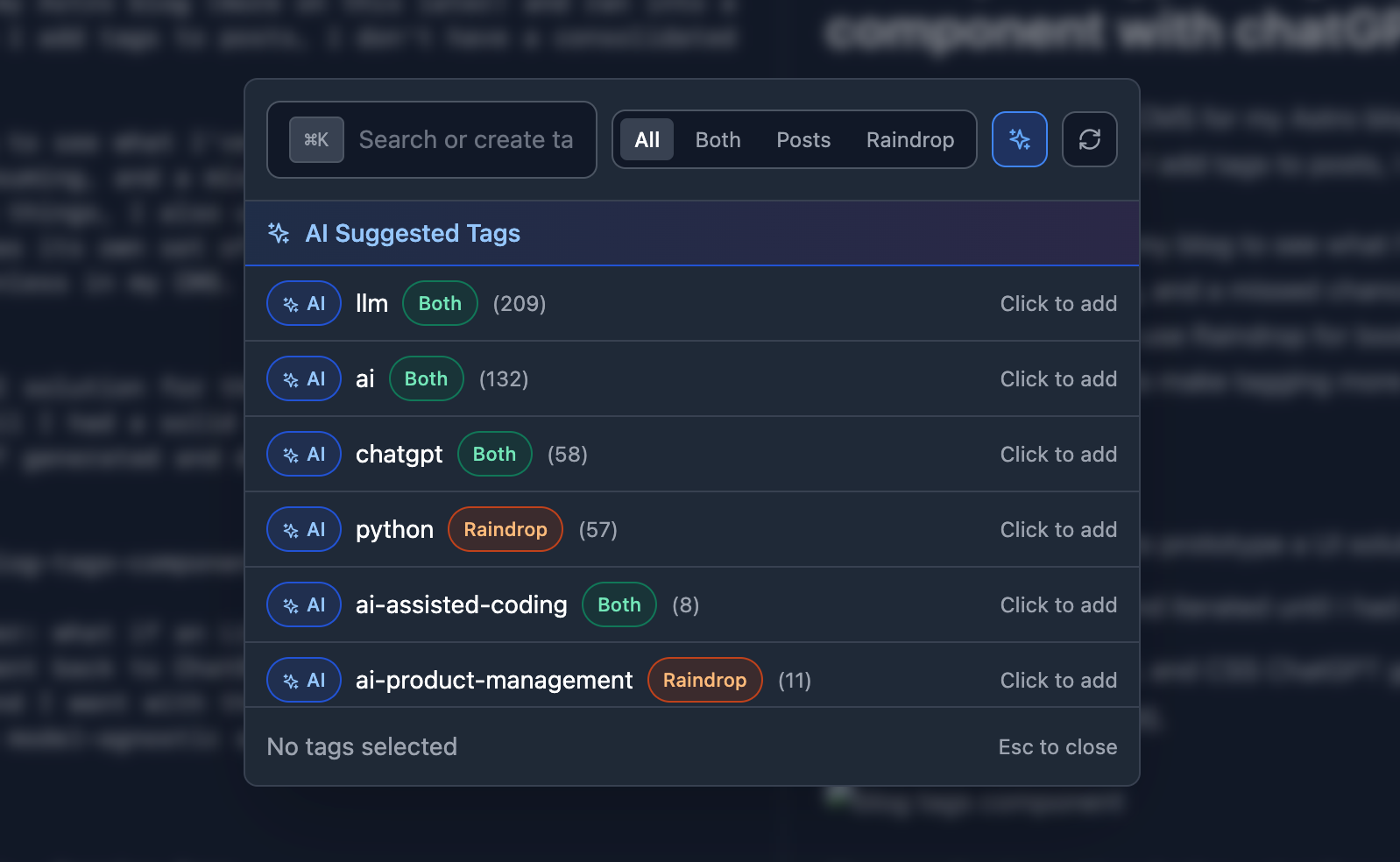
Frontmatter handling and Tag management
Title, description, publish date, draft status: it’s all managed through a clean UI instead of editing YAML by hand. I also built a tag manager component that shows me existing tags from both my blog and Raindrop, and even suggests new ones using an LLM based on the post content. It helps me keep things consistent.
Publishing flow
Once a post is ready, I commit and push the markdown file to GitHub, and Netlify picks it up and deploys it automatically.
Why This Works for Me
The whole point is reducing friction (and time) between reading something interesting and sharing my thoughts about it. Raindrop catches the raw material. My CMS helps me shape it into something publishable. And markdown keeps everything portable and future-proof.
I went from barely publishing to 47 posts in 2025. Same amount of reading, same amount of ideas floating around in my head. The difference was having a system that actually matched how I think and work. Capture fast, curate later, publish when ready.